WARNING some input files use unchecked or unsafe operations
WARNING recompile with -Xlint:unchecked for details
Java 클래스 컴파일 중에 이런 경고 메시지를 받을 수 있음
이것은 문법 사용에 있어서 명확한 오류는 아니지만 타입 체크가 부족하거나 안전하지 않은 연산을 사용한다는 의미임
경고 메시지에 나와 있는 것처럼 -Xlint:unchecked 옵션을 javac에 추가해서 컴파일해주면 좀 더 자세한 내용을 확인할 수 있음
maven pom.xml 변경
현대적인 Java 애플리케이션은 클래스가 많아서 javac를 직접 사용하기보다는 주로 maven에 의존하고 있으므로 pom.xml을 다음과 같이 변경하면 됨
    <build>
        <plugins>
            <plugin>
                <groupId>org.apache.maven.plugins</groupId>
                <artifactId>maven-compiler-plugin</artifactId>
                <version>3.10.0</version>
                <configuration>
                    <compilerArgs>
                        <arg>-verbose</arg>
                        <arg>-Xlint:unchecked</arg>
                    </compilerArgs>
                </configuration>
            </plugin>
        </plugins>
    </build>
그러면 다음과 같이 많은 양의 컴파일 디버그 메시지와 함께 자세한 경고 내용이 노출됨
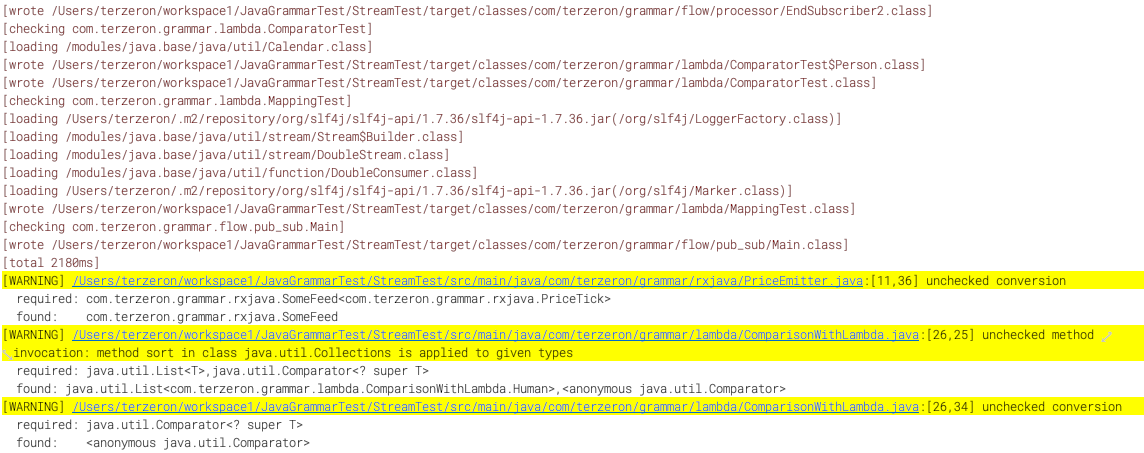
경고 메시지나 에러 메시지를 하일라이팅해서 눈에 쉽게 띄도록 만들 수도 있는데, 이것은 IntelliJ의 Grep Console 플러그인에 의한 효과임
IntelliJ의 compiler 설정 변경
pom.xml을 변경하지 않고 일시적으로 IntelliJ의 환경설정에서 컴파일러 옵션을 수정하여 lint를 실행할 수도 있음
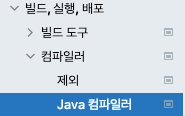

여기에 -Xlint:unchecked 또는 -Xlint:all이라고 적어주면 됨